Showing posts with label 9th Grade English. Show all posts

Thursday, August 27, 2015

Main Idea & Supporting Details

FOR MY STUDENTS:
You will need to get copies of the handouts for these two pages from the file folder on the counter in the room. Please be sure you follow the examples to complete your notebook. (Note: my copies are always available before or after school. Please see me if you have any questions!)

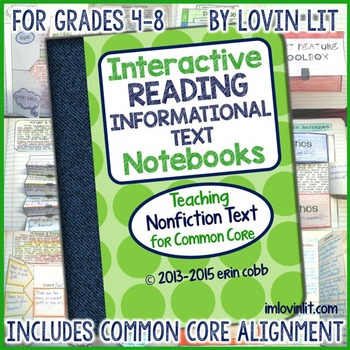
Thanks to Erin Cobb's packet, "Interactive Reading Informational Text Notebook," I have some great additions to our notebooks this year! I've found determining the TOPIC, MAIN IDEA, TOPIC SENTENCE, and SUPPORTING DETAILS is hard for some students. This is going to serve as a GREAT review!!

PAGE 10 OF INTERACTIVE NOTEBOOK:

  • Color, cut out, and glue the page in as shown.


PAGE 11 OF INTERACTIVE NOTEBOOK:
  • Underline the passage as shown. (This is helping you to identify the four items we are reviewing today.
  • Glue the passage in your notebook.
  • Then, add the information to the back side of the TOPIC/TOPIC SENTENCE/MAIN IDEA/SUPPORTING DETAILS page. Cut along the OUTSIDE edges of this section and glue the right and left sides to the passage. 
  • CAREFULLY cut up the middle of the top page only, as shown.
  • SEE ME IF YOU HAVE ANY QUESTIONS!!!!!


DON'T FORGET TO PUT THE DATE ON THE INSIDE CORNERS OF THE PAGES!!
DON'T FORGET TO ADD THESE PAGES TO YOUR TABLE OF CONTENTS!!

ASSIGNMENT:
  1. Get a copy of the article, "She's Back!" located in the file folder.
  2. Identify the main idea and supporting details as taught on these two pages.
  3. Turn the assignment in for participation credit. (REMEMBER!! You only have ONE DAY for each day you were absent to make up the work for full credit!!)

Wednesday, August 5, 2015

Interactive Notebooks and Back to the Basics

I LOVE INTERACTIVE NOTEBOOKS!!! 

There are so many GREAT resources out there for different pages and how to use them in your classroom. I still have kids come back and tell me how grateful they are for the notebook because they use them in high school! That, in itself, is a reason to do them! Yes...they may whine and complain while putting them together...but...if they USE them the way I intend, it becomes an amazing resource!!

This year, I plan on starting with them the second day of school. Rather than having the students purchase them and have to wait until everyone is prepared (or supply them out of my own funds), I asked the office to get one for every student. THEY SAID YES!!! So...we'll start the second day!

I'm going to do the first few pages just like I did last year. You can find the information about that HERE. I'm also going to post a copy of our school's plagiarism and cheating policy as I explained HERE. That takes me through the first nine pages and, I figure, two days.

Then...I'm taking them BACK TO THE BASICS!!!!! I'm really surprised at how many kids either don't know or don't remember how to find the main idea, supporting details, how to summarize, author's purpose, text structures, etc. So...we're going to HIT THOSE HARD!! I've got to pound these concepts into their heads to help with the "end-of-year-testing"!!

Last spring, I purchased the "Interactive Reading Informational Text Notebooks" packet from Erin Cobb (imlovinlit.com) through TeachersPayTeachers. I didn't do anything with it until this week. HOLY MOLY IT'S GREAT!!! Yes...it's written for grades 4-8 but I think it's going to work as a review/reference for their Interactive Notebooks. After we review, I'll start working them through more difficult texts and will refer back to these pages often.

Interactive Reading Notebooks Informational Text: Nonficti

My plan is to work on one concept per day which will include creating the page(s) in the Interactive Notebook and an easy practice.  Then, I've found some "age-appropriate/interest-level" articles on the Smithsonian TweenTribune website (for grades 7-8) and Smithsonian TeenTribune (for grades 9-12). What's great about this site is you can get the same article written in different Lexile levels! You can pass out the same article in a lower level for the ELL or struggling readers and they'll be able to work with the "at-level" or "advanced" kids using the more difficult version. I'm really excited about this find!! There are SO MANY different exercises you can do with each article...from main idea/supporting details to author's purpose to text structure. I can't wait to use them!!

Tuesday, August 4, 2015

"Can We Start the 'SUMMER' Over Again?? I Wasn't Ready..."

I WANT TO CHANGE "WEEKEND" TO "SUMMER"!!!!!

I know I say this every year, but...it's that time again! Time to start thinking of how I'm going to teach all my new little dumplings. (At this point in time, my rolls show I will have 203  204 students in six classes this year!!! Two of my Honors English 8 classes have 40 STUDENTS!!!!! HOW. DO. I. FIT. THE. DESKS. IN. MY. ROOM...not to mention THE. BODIES!!!!!)


A lot of things will be done the same (because, frankly, why change what has worked in the past???); but there will be some new additions.

Our Interactive Notebooks will be initially set up the same way I did last year. You can look at the pages, links to documents, and get more information HERE.

Last year, I had a lot of problems with plagiarism and cheating. This year, I'm going to add a page (notice it's printed in RED) that deals with the definition of plagiarism and cheating along with our school's consequences.

NOTE: I'm not going to link or share this page as it is tailored to our school. However, I hope it will give you some ideas of how to get the point across to your students. (I tell them over and over again...this is THE. WORST. PART. OF. MY. JOB!! I HATE dealing with this!!!)

More later...


Tuesday, September 9, 2014

Plot/Storytelling Arc for Interactive Notebooks

As I've mentioned before, I'm using Laura Randazzo's FABULOUS "FULL YEAR of English Class Vocabulary, Grammar, and Literary Terms, Devices" available on Teachers Pay Teachers. Today's "Lit Term Tuesday" was all about Plot, or as Laura's products call it, "Storytelling Arc." I want my kids to be familiar with both terms so I've tweaked my Plot Interactive Notebook pages to add the new term. The process is still the same as I had on the blog with THIS POST but I just re-created the front page. 


DISCLAIMER...Sorry for the crummy pictures. Low lighting in a hurry does not mix! :(


THIS IS WHAT MY EXAMPLE LOOKED LIKE TWO YEARS AGO. DON'T MIND THE DATES...


Links to the foldables and better pictures of the anchor charts may be found on the original posting located HERE.

Monday, September 8, 2014

Year-Long Theme: HEROES (2014 update)

I've had a year-long theme for the past two-three years. Everything we read/study ties back to this theme; the kids have really enjoyed it. This year, instead of me just "talking" my way through it, I decided to put it all together in a Prezi. As a disclaimer, this is only the second one I've ever done so it's not full of all the bells and whistles of others I've seen. Then, when I tested it at school last Friday, I found out we'd been denied access to YouTube...I had four videos linked as an integral part of the presentation. UGH!! Thanks to my handy-dandy husband, we were able to reformat the videos and put them into the Prezi which went around the need for YouTube rights. (NOTE: we had to change one video because it did not allow reformatting or downloading.)

This has been really powerful throughout the years. I tweak it a little bit each year so the "rerun students" I have don't get bored. Since this is my first time sharing, I'm not sure if it will work but you're welcome to use it if you'd like. :)


You can also find my inserts for the Interactive Notebooks HERE. 

Here's what pages 14 & 15 of the 2014-2015 notebook looks like:


Tuesday, September 2, 2014

THEME for Interactive Notebooks

Understanding THEME is a huge item in the Common Core/DESK Standards (my district's version of the Core). Therefore, I want students to get an overall understanding of the definition and then we will dig deeper as the year progresses.

I found this great Anchor Chart on Pinterest which linked back to "thelibbylou.blogspot.com." However, the picture was a little bit skewed so I created my own chart and a new picture. I am so grateful for teachers who share their work! What in the world did we do before Pinterest was invented??


There is a LOT to this Anchor Chart but it's critical students understand it so they will be able to "dig deeper" on future assignments.

NOTE: I'm also using Laura Randazzo's FABULOUS bundle for "Lit Term Tuesdays" in conjunction with these anchor charts. Lit Term Tuesdays come as part of her Full Year Grammar Package available on Teachers Pay Teachers.

Friday, August 29, 2014

First days of Interactive Notebooks

This week has been GREAT so far! Every student has started their Interactive Notebooks and are doing well at saying caught up. For my own documentation, as well as suggestions for others, I am uploading pictures for each of the pages we've completed so far.

This year, we are using the "cheap" spiral notebooks, found at WalMart, Target, Office Max, Staples, etc. for 17 cents (on the Back-to-School sales), I purchased twenty five extra notebooks for those students who weren't able to have them the day we started entries. By the end of the day, I had given away ALL of them! I asked those students to try to get one and then just give it to me to replace the one I provided. So far, about one-fourth of them have done that; I figure a 17 cent loss is affordable. (Plus, our office ladies had purchased some and were able to help reimburse my stash for future students.)

NOTE TO THOSE WHO HAVE USED MY DOCUMENTS BEFORE...I've had to re-size them to make them fit in these smaller notebooks. I'll try to upload the new sizes but if I forget, you'll have to make sure you do that if you are moving to the cheaper, smaller ones.

PAGES 1-3: The first three pages of the notebooks will be designated the TABLE OF CONTENTS. Each time they create a page, they will enter the title and the page number on this page.

PAGE 4: As I did last year, I will be giving them "Doodle Pages" to color when they have all their other work finished. I found these at DOODLE-ART-ALLEY and just re-sized them to fit the notebooks. (I will not be posting links to these pages...it's easy for anyone to do using their own quotes.) 

PAGE 5: I want my kids to start setting goals for this class. We have an Advisory period this year where they will be setting academic goals so I want the ones they put in their Interactive Notebooks to be focused specifically on English. I honestly can't remember where I found this format idea but I did redo it to fit in my notebooks using a table in Word. I had them fill out the top three boxes and then will revisit this page later in the term to check their progress and revise it, if necessary. CLICK HERE FOR THE PDF. 

PAGE 6: This is a reference page for formatting documents on the computer. I have used this format (MLA standards) for years and still have students coming back saying they use it in high school! Love that!! CLICK HERE FOR THE PDF FILE.

PAGE 7: This page is probably the most used page in the entire notebook! I am adamant on them putting their "MLA HEADING" on every paper they submit to me. The first few assignments include a grade for proper formatting to make sure they do this correctly. I've had a few parents upset that their student lost points on an assignment because it wasn't "perfect" but when I explain to rational behind it...that it is a standard adopted by our school and one they will use in high school and many of their college classes...they understand. This year, I let them use some of my beloved Post-It notes instead of tracing cards I'd cut for the different sizes and then made them color them to look like Post-Its. I made a really big deal about it being a "step in my recovery program for Post-It addiction." They thought that was pretty funny. ;) 

PAGE 8: This summer, I attended the USOE Utah Standards Academy. We were taught several strategies for doing CLOSE Readings (more on that later...), different ways to take notes, and how to do an "OPTIC Analysis" which is used for analyzing visual pieces like paintings, graphics, cartoons, etc. I've never done this with my kids before simply because I didn't know how. We did this yesterday and I LOVED IT!!!!!! I used this page as their reference and then had them do the assignment on a separate sheet of paper. We went through it step-by-step using Norman Rockwell's painting "The Holdout." It was FABULOUS!!!!!!! I highly recommend adding this to your curriculum as a really fun activity that everyone enjoys! (I figured it fit the Common Core Standard SL8.2 for my 8th graders and SL.9-10.2 & 3 for 9th graders. While there's nothing "fallacious" in this picture, it gets them started with the idea of how to "evaluate information presented in diverse media." CLICK HERE FOR THE PDF.

PAGE 9: Each week, we will be doing "MUGShot Monday" using Laura Randazzo's FABULOUS "FULL YEAR of English Class Vocabulary, Grammar, and Literary Terms, Devices" available on Teachers Pay Teachers. I'm so excited about using this package with my own little tweaks to it. This morning (we did them on Friday this week since Monday is a holiday and I don't want to get behind...), I had them glue this Proofreading Marks page into their notebooks. Then I put the MUGShot up on the projector (she has it as a PowerPoint) for them to work on. They came in and started cutting out this page before the tardy bell even rang! It was AWESOME!!! I can't wait to do more! :)  CLICK HERE FOR THE PDF. (NOTE: I already had this one as a PDF...I just printed it and then reduced it to fit on the notebook page.)

That gets me caught up through Bell Work on Friday. I'm excited at how well things are going so far, and really hope it will continue! :)

Monday, August 25, 2014

First day...I survived...barely!

How can going back to school be so exhausting? I play during the summer. I work in the yard. I chase after grandkids. And yet when I go back to school, my feet hurt. My back hurts. My throat hurts. From top to bottom and everywhere in between. The good news is...I SURVIVED!!!! (Not sure about tomorrow though...)

I changed things up a bit for my first day activities. I HATE going over the disclosures, playing silly "Get to Know You" games, etc. So this year, I decided to try some new things...


First of all, I had my kids sign up for "REMIND" on their cell phones or other device that uses the internet. It's a messaging system from teachers to students and parents that's completely private. I won't know their numbers and they won't know mine. It's my way of trying to keep them on top of their assignments and due dates. Several teachers at our school have used it with great success. (Note...those who didn't have a phone are able to sign up via email. I am requiring all students to subscribe and highly recommending at least one parent sign up.) Here's hoping...

Next, I gave each class a different color Post-It. I'm not going to lie...I had a little bit of a hard time giving up some of my beloved sticky notes but I held it together in front of the kids. I had them put their name on the back of the note and then responded to each of four prompts. I used the little notes (1-3/4" x 2") because I have 190 students this year and I wanted them to all fit on the posters. As you can see, they're a little crowded on them! 


I still have to go through all of their answers and see if there's a common thread overall or per class. (Shouldn't take much time at all, right??)

Wednesday, August 20, 2014

First Day Back (for teachers...)

Today was the first day of contract time for our district. First day getting up at the "regular" time...which is about two hours EARLIER than the "preferred" time... First day of meetings (went WAY over time)... First day of catching up with friends/fellow teachers I haven't seen all summer... First day of MY. FEET. KILLING. ME!!!! And...I still have two more hours to go (it's 5:30pm) because we have Back to School Night tonight. A VERY long day!

Yesterday, my oldest daughter, Mallorie, and her two ADORABLE boys came to "Grammy's school" to help me get things in order. We hauled crates of stuff from home (some that I hadn't even taken out of the trunk of my car since I put them in there the last day of school! :/ ), baby paraphernalia, 3-year old "entertainment" paraphernalia, etc. And then it began...it was worse than I expected!!


(Notice the incredible mess on the far wall. I've always hated how those shelves looked but have never had the time or "umph" to organize them. Mallorie INSISTED!! Thankfully!!)

We dug in for about eight hours before heading home. Our two angel boys took FABULOUS naps...Drew (3 years old) in his little fort under my table and Lewis (3-1/2 months) on the floor across the room on his minky blanky under the fan (improvised white noise)...while Mal and I worked our little behinds off. 


Today, Mal and Lewis came out again after my meetings while Drew went to the zoo with some friends. Mal also brought my sweet little friend, Oaklee, to help watch the boys. She was absolutely in heaven taking care of Lewis while we worked...until he got too tired. 


After we got him to sleep, she wanted to help...and what a GREAT helper she was!! She and my youngest daughter, Maddi, got to work rearranging bookshelves, hanging Command hooks for Anchor Charts, arranging desks, etc. Oaklee tried to get Drew to help her open all the packages of glue sticks for my Interactive Notebooks but he was a lot more interested in the magnets or drawing on the whiteboards. Oaklee was AWESOME!! 


So...by 5:00pm, we were all cleaned up, arranged, and I only had to stuff a few things into drawers to get the room presentable for tomorrow! (HAHA...we all do that, right??) Look how much better everything looks!!!!

THANK YOU MALLORIE, MADDI, OAKLEE, DREW, AND LEWIS!!
I COULDN'T HAVE DONE IT WITHOUT YOU!! (mwah!!)

I found inspirational/educational quotes on Doodle-Art-Alley that we colored, laminated, and taped to the desks. I plan on using them as writing prompts, adding to their Interactive Notebooks, etc.) 

If you notice the table-top podium in the "before" pictures, it was stained a natural color. Mallorie took it home last night and painted it for me. Looks SOOO much better!!

Check out those "after" shelves!!!!!! They've never looked so good!! :)

Also...here's my version of the "BE" bulletin board I talked about HERE...


THANK YOU AGAIN, MALLORIE!!!!!!!!!

Now...to get ready for Back to School Night...

Friday, August 8, 2014

Technology in the Classroom


Yesterday, I was able to attend the Davis Technology Conference offered by our district. It was a full day (four workshops) of learning new ways to use technology in the classroom. Just like with any other workshop, there were good presentations and there were "not-so-great/useful" presentations. The two I LOVED and will use in my classroom were "Using Canvas Effectively in the Classroom" and "How to Use Twitter for Your Personal Professional Development." These classes were taught by two AMAZING teachers I have the privilege of working with every day: Jared Fawson teaches Geography and Jim Hansen teaches Earth Systems and Biology in the same "house" I teach in at West Point Junior High.


Jared, Jim, and I along with a couple of other teachers at our school used Canvas last year and had great success with it! Jared uses it for a variety of assignments and quizzes for his curriculum. Jim uses it for his term projects and is able to post all the steps/assignments that lead up to the final term or Science Fair project. It allows the over achievers to see what's required and they can submit them for grading well before the due date if they choose. Because they are posted early in the term, parents are able to know what's coming up and try to help their kids get a head start and not wait until the last minute to rush through the work. (Sometimes that works...oftentimes it doesn't...but at least he tries!) I have used it for a few quizzes, CLOSE Reading assignments, and for my term reading assignments. The beauty of the program is...
YOU DON'T HAVE TO CARRY CRATES FULL OF PAPERS HOME EVERY NIGHT TO GRADE THEM!!!!!!!!!!!!! 
As an English teacher, I was THRILLED with that concept!!! I have them write their essays in Google Docs, share it with me ("Anyone with the link can EDIT"), have the rubric right there in Canvas, and I can click my way through grading, add comments in Canvas or right on their Google Doc, and whip through them in a fraction of the time I used to spend doing it by hand. Then, when we're finished grading, the kids (and parents) can log back into Canvas and see how things went and what they can do to improve their work in the future. It's been AMAZING!!!!!!!!!! I'll never have essays submitted any other way again! I also plan to use it in new ways this year... (Click the graphic above for more information about the program.)


Jared has used Twitter to connect with other educators all over the world (literally ALL. OVER. THE. WORLD!!) and has been able to develop some really great relationships and teaching opportunities through it. Now...his main disclaimer was that he DOES NOT use it to tweet what he ate for breakfast, what he's wearing, or any other stupid things that end up being tweeted. I signed up for an account and am going to try it this year. Thankfully, I have Jared across the hall from me to help with any questions or give me more ideas on how to get more out of using it. (Thankfully, he created a website to help us remember his class. You can find more information HERE.

We were told there would be handouts on the Davis Technology Conference website. I've linked it HERE (hoping there will be more than the one that's linked right now). I have to say that, unlike most conferences I attend during my precious summer, this one was really helpful!

Monday, August 4, 2014

Trying to Get Back in the Groove :/

I'm sure everyone is feeling the "where-in-the-world-did-the-summer-go-blues" like I am! I can't believe school will start in just over a couple of weeks. I. AM. NOT. READY! However...I'm starting to plan things out (at least I'm trying...).

I'm as tired of the "First Day of School Lectures" as all my kids are so I've decided to try to change things a bit to help all of us. (I teach four classes of 9th Grade "regular" English and two classes of Honors English 8.) There are some days I do the same thing with both groups; obviously, other days they are much different! Because I'm getting into the swing of things more than they are (probably), I'm going to do the same thing.

First of all, I'll pass out the obligatory disclosure and supply list. I'm not going to read it with them...I assume they've made it this far, they can read it themselves or with their parents. (I will make sure they understand the supply list and the importance of getting everything on it SOON!!)

I got an idea from Pinterest for a "Get-to-Know-You"/"What-Can-We-Expect-From-Each-Other" activity. [Seriously...how did we ever do ANYTHING without Pinterest?? I love how you can tell what phase of life everyone is in based on their pins! HAHAHA!!] Anyway, I got the idea HERE to pass out Post-It notes (color coded by period so I know the thoughts of each class...I may ask them to put their names on the notes to make it more focused...we'll see...) and have them respond to prompts on the four posters. Obviously, I'm going to tweak them to deal with ENGLISH instead of MATH but they'll be roughly the same. I have a MAJOR obsession with Post-It notes (my daughter thinks they need to do a family intervention but seriously...they add just the right POP of color on otherwise dull, drab, papers we're constantly grading or books we're using...plus, they're just downright handy!!) so this will be fun but also a little hard for me to part with my beloved squares. ;)


(If you share the "Post-It-Note-Love-Affair" with me, you might want to check out "The Clutter-Free Classroom" blog post and her cute organization system for them. I'll admit I purchased it from her Teachers Pay Teachers store.

I have a square bulletin board outside my room that I'm supposed to decorate but rarely get around to actually doing it. Again, THANK YOU PINTEREST, for this fabulous idea on the "Teaching is Forever" blog. Bless her dear sweet heart, she even posts a link (THAT WORKS!!) to the original blog post where I found the Google Docs files of the signs...all I have to do is print them off, cut them to size, and slap them on colored paper. I just LOVE it when people have the actual links to the actual sites when they pin stuff to Pinterest!! Can't wait to put this one up!

I've also heard other teachers in our school using a service called "REMIND" (formerly called "Remind 101"). They swear by it for reminding students and parents of upcoming due dates, words or encouragement, etc. As the teacher, you can download the app to your phone (available for Android and Apple), tablet, or computer. Parents and students can download the app or receive the messages via email. I've got my account set up to go over at Back to School Night and the first day of school. (I'm pretty sure the kids will kind of freak out with me telling them they can use their phones in class that day...BUT ONLY THAT DAY!) We'll see how that goes too...

Back to planning...

Wednesday, September 18, 2013

Intro to Argumentation

Teaching argumentation is HARD!!!!!! Although all teenagers are masters at it, it's hard to explain how to organize their arguing using the terms outlined in the Common Core. I've read textbooks, theories, websites, searched for anchor charts, etc. and finally think I've got a handle on the basics. I decided they needed to have basic reference pages in their Interactive Notebooks for this and then we'll build on it from there.

The easiest way for me to present it to them was to create a PowerPoint presentation. Unfortunately, I can't get it to move into Google Presentations so I've just saved it as a PDF for viewing on the web.

As I showed the PowerPoint, I had them draw pages in their Interactive Notebooks.


This is just the beginning!!